
Tailored to your agency. These workflows are examples of what we can build around your documents, processes, tariff rules and reporting requirements. Explore tailor-made solutions ↗
CARGO DOCUMENT SOFTWARE FOR SHIP AGENCIES
Cargo document software.
One connected document set.
Use a connected document workspace for Bills of Lading, cargo manifests, terminal notifications and the other forms around a port call. Reuse matching vessel, cargo and company information across the documents.
Discuss your solution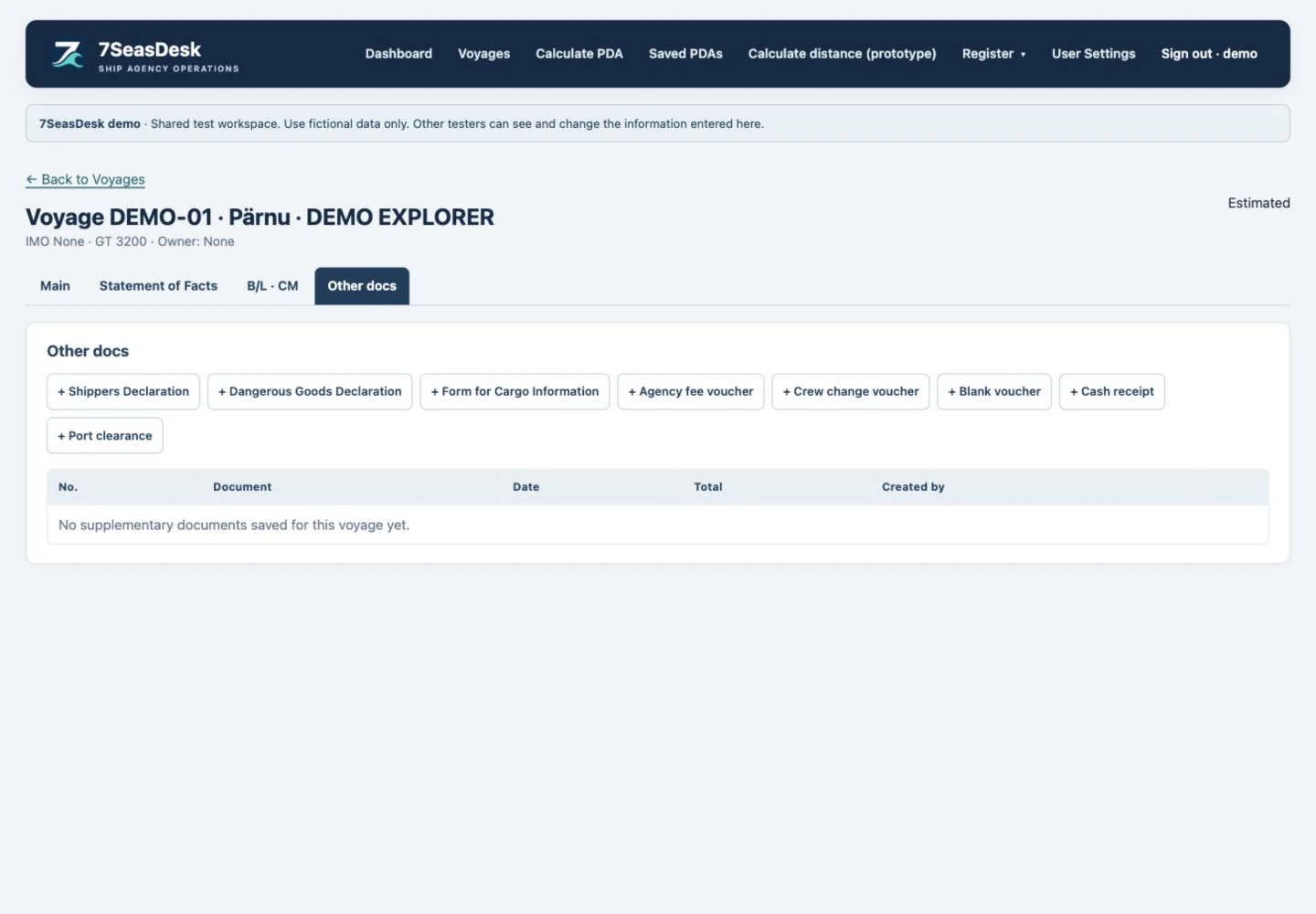
Start with the vessel and the call
A document set depends on the same core information: the vessel, master, port, terminal, cargo and the parties involved. Enter those details in the call and the shared document workspace, then review them in the individual forms before printing.
The master’s questionnaire is available early in the document workflow, so the particulars needed for later forms can be collected at the beginning. Saved shipper, consignee and other company details can be selected again instead of typed for every visit.
Handle more than one cargo line or Bill of Lading
A vessel may carry several cargoes, and a single Bill of Lading may contain more than one cargo line. The workspace supports separate cargo rows and separate bills, rather than requiring all goods to be squeezed into one description.
Select the quantity units relevant to the cargo manifest. Review the unit labels and values carefully: metric tonnes, volume and other recorded measurements describe different quantities and should not be treated as interchangeable.
Prepare the surrounding port documents
Configured forms include the Bill of Lading, cargo manifest, terminal notification, port clearance, loading and discharging requests, document receipt and master’s questionnaire. Information that belongs to more than one form is reused through the shared workspace.
Terminal notifications provide terminal and attention selections. Port clearance includes the saved shipowner or operator address. Request documents use the print date by default where configured, while allowing the issue date to be changed for the particular document.
Choose the correct signing arrangement
Document layouts are part of the agency’s setup. In the configured cargo manifest, Early Departure Procedure (EDP) uses the right-hand signing area; the other signing arrangement uses the left-hand area. The selected arrangement should match the actual instruction for that call.
Document generation does not add a stored agency stamp or someone’s signature. The relevant person reviews and signs or stamps the output through the agency’s normal process.
Reuse saved information and check the final PDF
Load information from a previous call or copy an individual document when it is useful. Then update the details that belong to the new visit, especially the cargo, quantities, parties, dates and signing instructions.
Preview the selected document as a PDF and check the final layout before sending it. Document templates, fonts and the information required by each terminal or customer are reviewed during setup; a generated form should always be checked against the current instructions for the call.
Discuss your solution with the forms your agency uses. We can show how shared information flows through a sample visit without publishing any customer’s real operational data.
Which information belongs in which document?
A shared workspace is useful only when it preserves the distinctions between documents. Use this map when reviewing your configuration.
| Information | Reuse where applicable | Keep specific |
|---|---|---|
| Vessel and visit | Vessel identity, port and call reference | The selected voyage and current visit |
| Cargo and B/L | Matching cargo descriptions and quantities | Each bill's parties, parcels, units and instructions |
| Statement of Facts | Reviewed vessel and cargo facts | Event chronology and an optional combined SOF description |
| Loading request | Relevant vessel and terminal particulars | Intake capacity, requested arrangements and issue date |
| Manifest and clearance | Applicable saved cargo and company information | The selected form, quantities and signing arrangement |
A combined description on an SOF should not replace the individual product names on the Bills of Lading. Likewise, a vessel's maximum intake capacity and the cargo quantity actually recorded for the visit are different fields.
For multi-parcel tanker calls, review weight bases and volume units explicitly. A value in metric tonnes VAC is not interchangeable with tonnes AIR, cubic metres or litres. The software should carry the selected label with the relevant value rather than relying on a reader to guess the unit.
SEE IT WITH A REALISTIC PORT CALL
Let your workflow shape the solution.
Tell us about your agency, forms, ports and handovers. We will review an example configuration and define what your tailored solution needs to support.
Discuss your solution